
Plan every video, from first idea to upload.
Scripts, shot lists, daily vlog topics and a status board in one place. It can also suggest ideas based on what's done well on your own channel.
Connecting a YouTube channel is optional.
What's in it
Each part follows the steps a video goes through, from the idea to the upload.
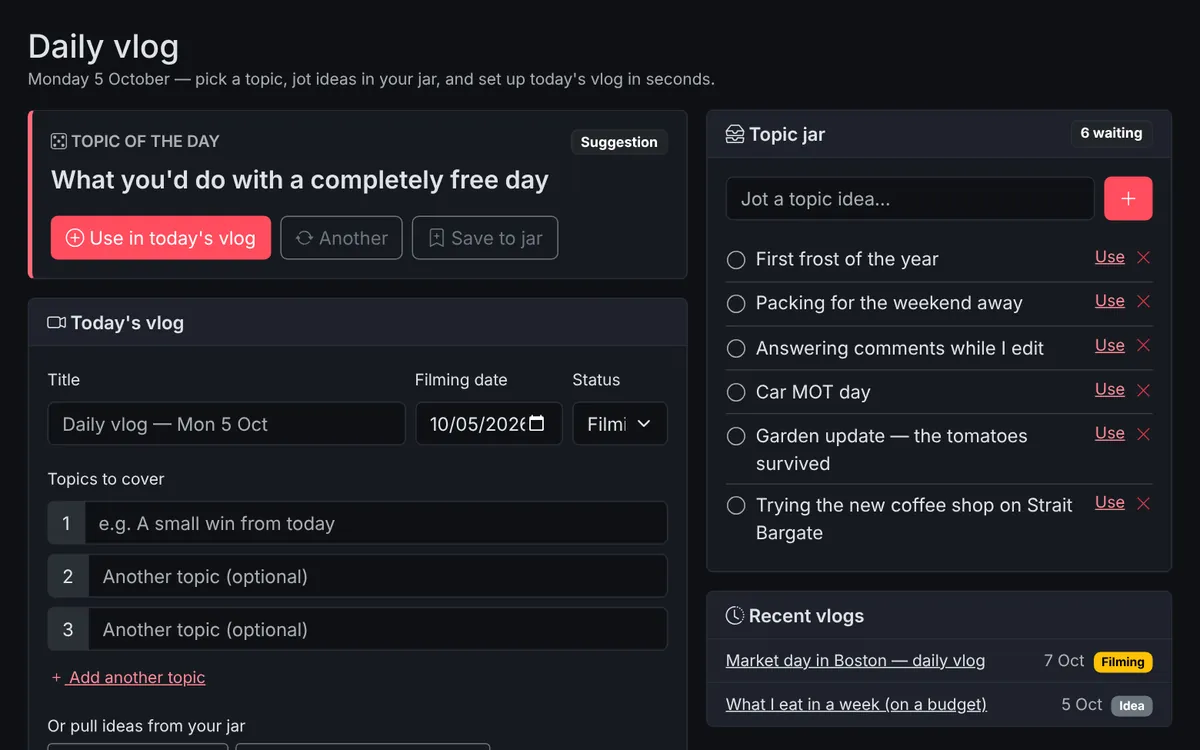
Daily vlog
A topic of the day, a jar for ideas as they come to you, and a one-tap "today's vlog" that turns topics into talking points.
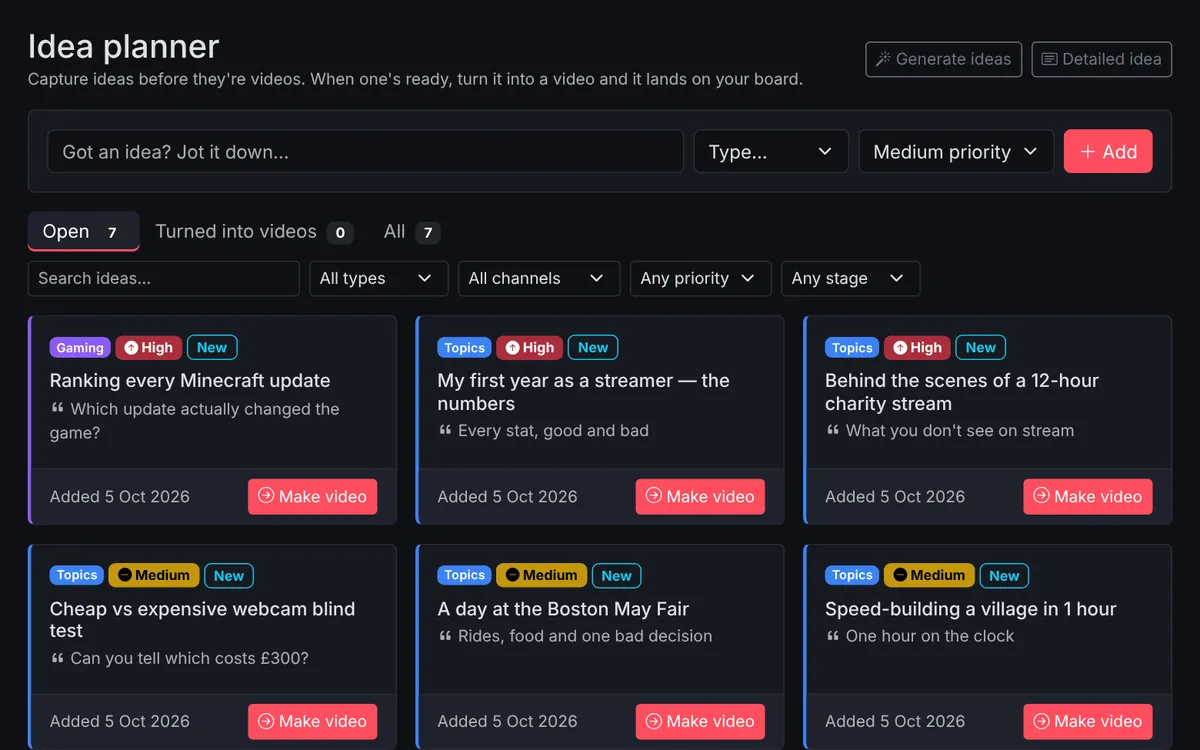
Idea planner
Park ideas with a hook, audience, priority and links, then turn the best ones into videos without retyping anything.
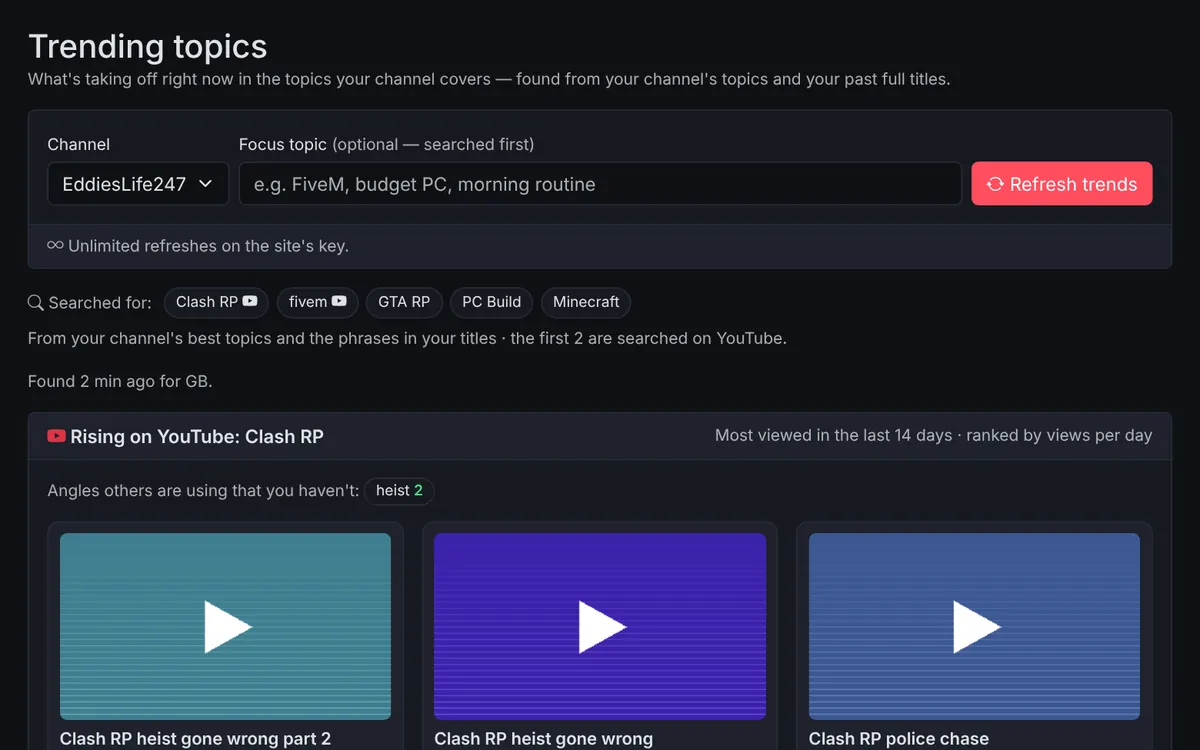
Trending topics
See what's rising in your topics on YouTube right now, what's trending that fits your channel, and what people are searching for.
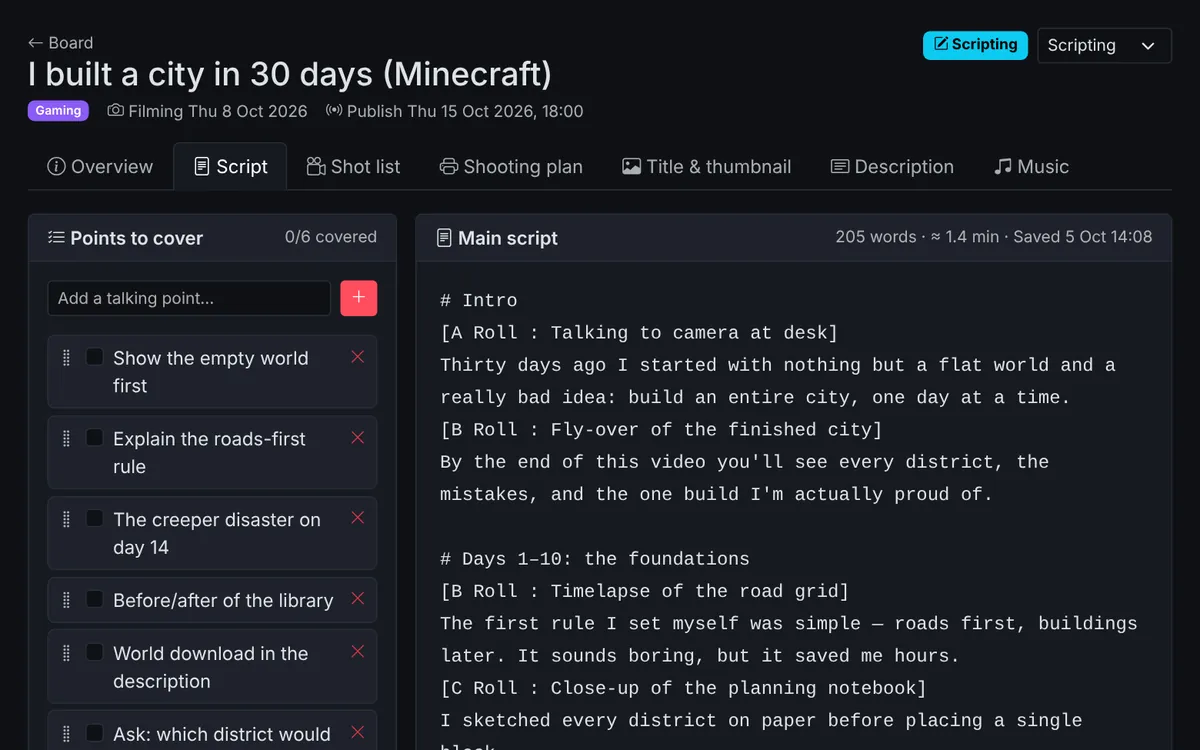
Script writing
Bullet points to cover beside the full script. Autosaves, counts words and estimates how long it will take to say.
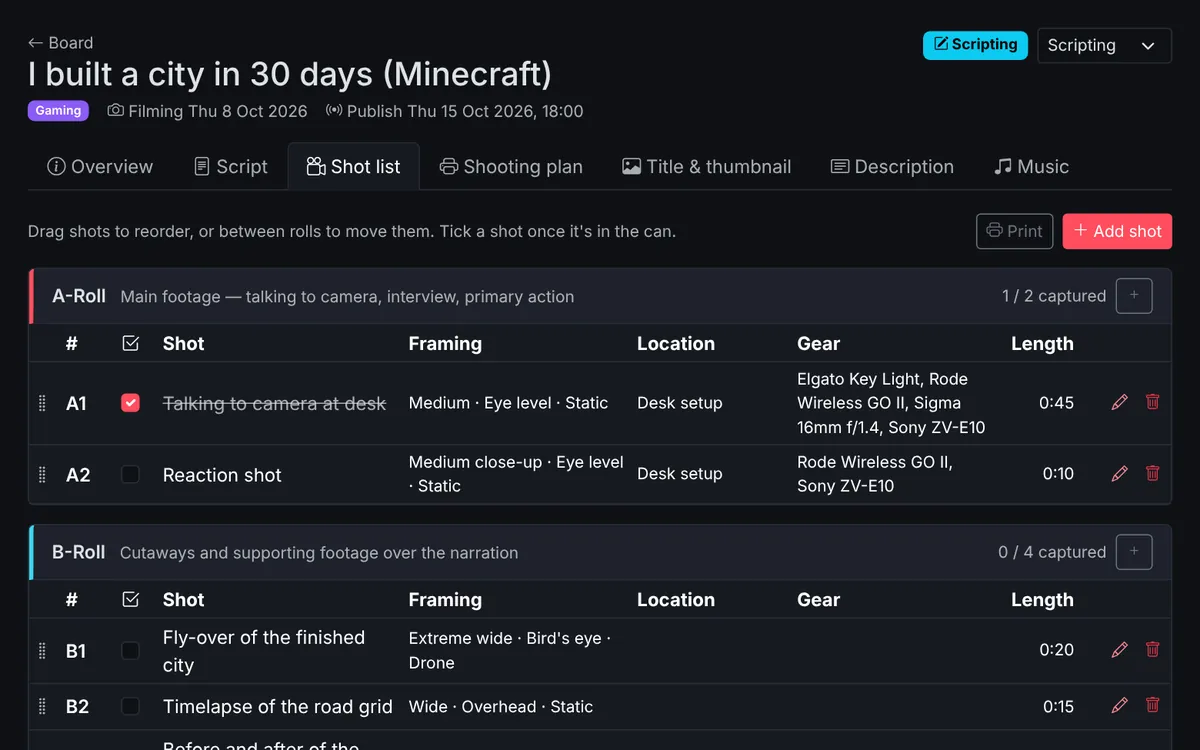
A, B & C-roll shot lists
Every shot with size, angle, movement, location and kit. Tick them off on the day, or print the list.
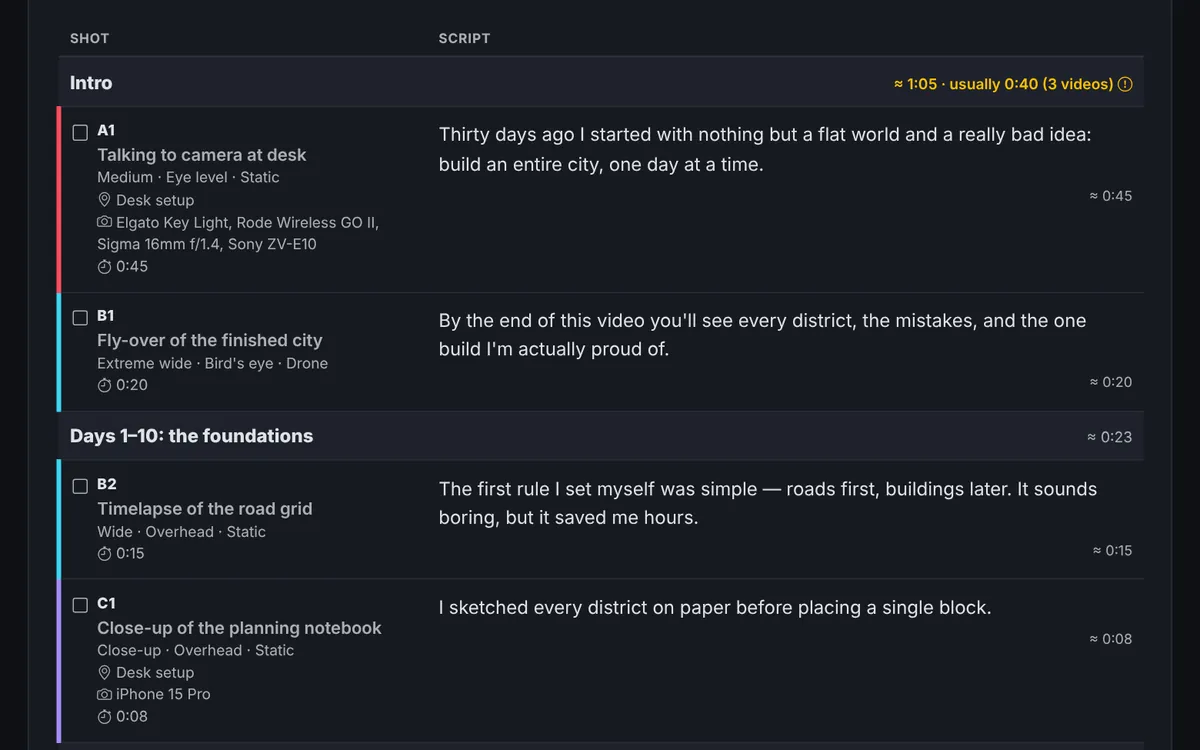
Shooting plan
Your script and shot list matched up side by side. Mark shots like [A Roll : Person at desk] and print it for the shoot.
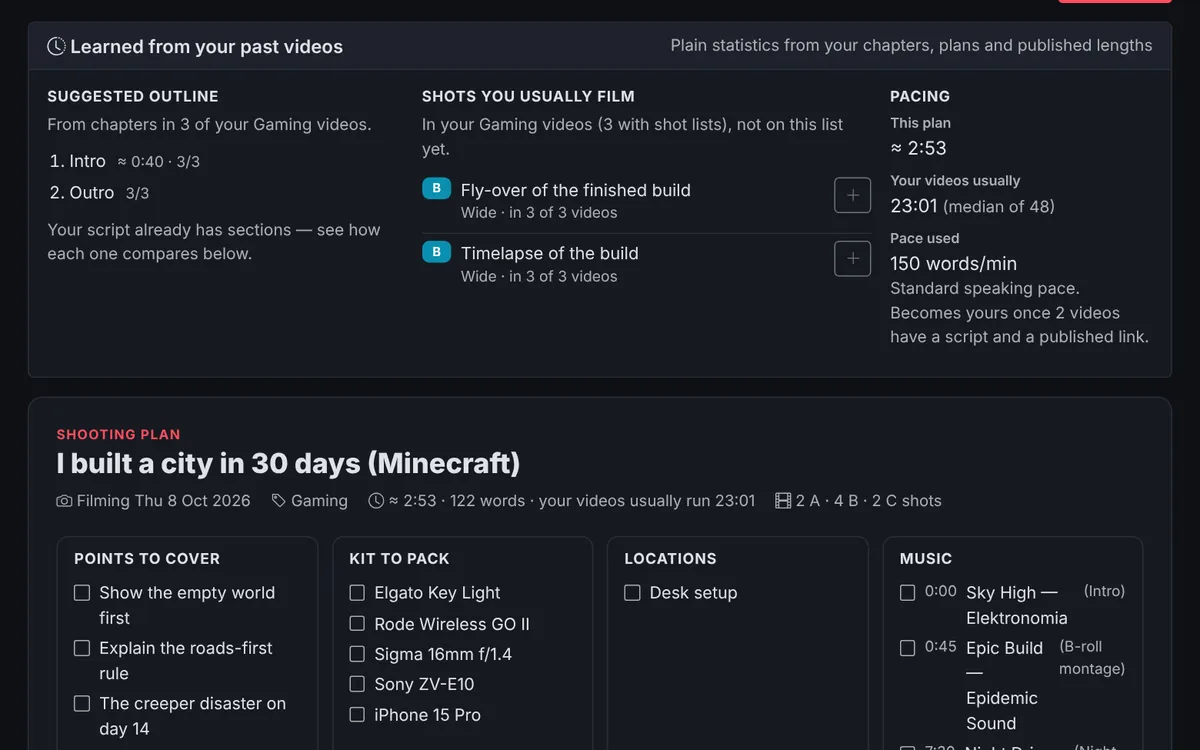
Learns from your videos
Suggests your usual outline from past chapter timestamps, the shots you always film, and flags sections running long.
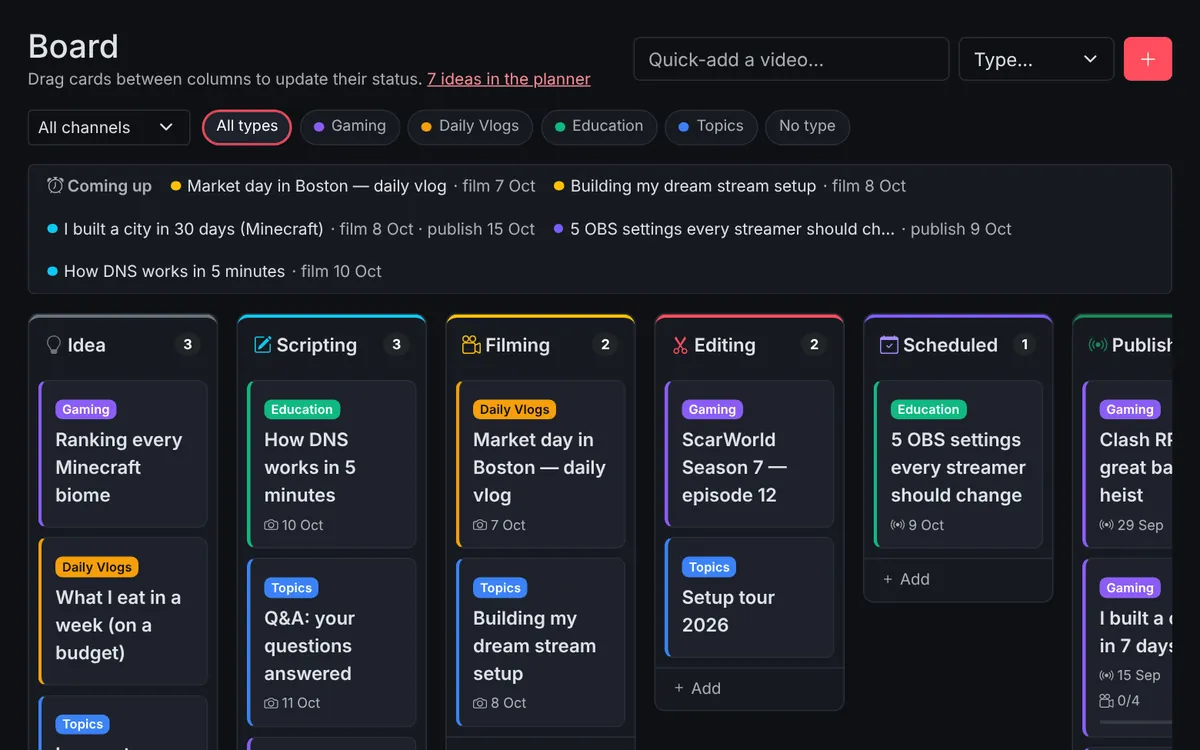
Status board & calendar
Drag videos from Idea to Published, filter by type, and see filming and publish dates on a calendar.
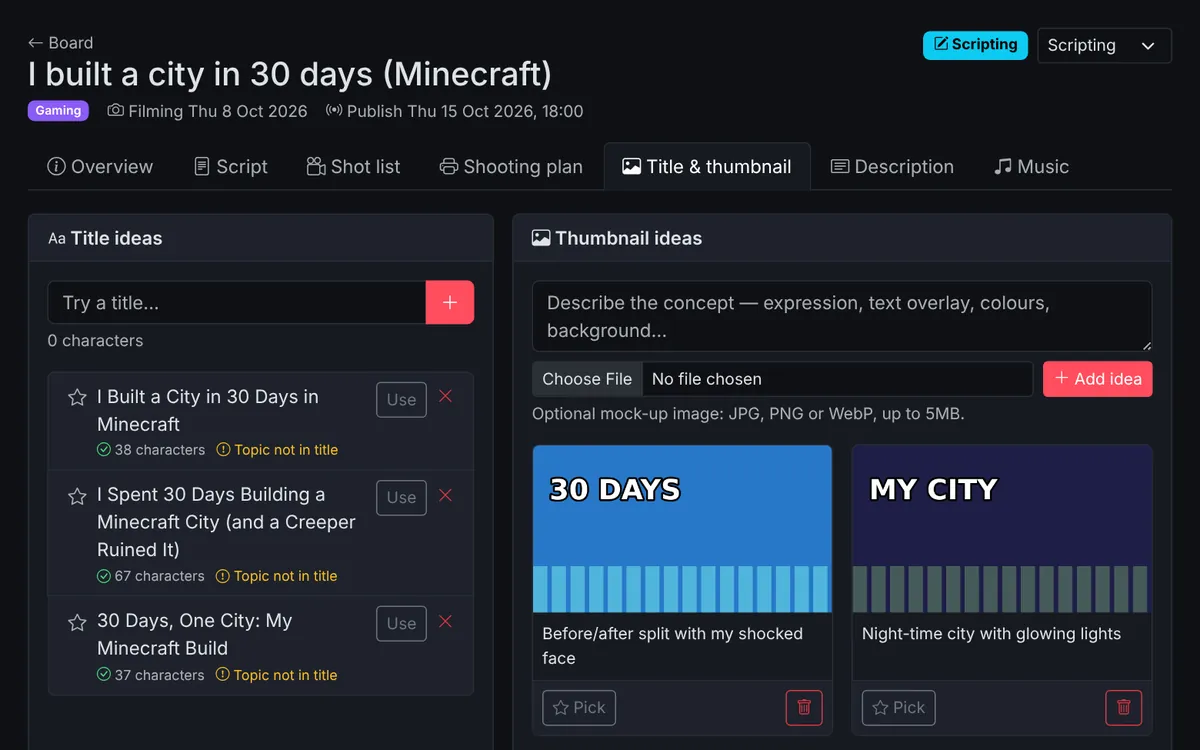
Titles, thumbnails & descriptions
Title checks and suggestions, thumbnail concepts with mock-ups, and a description editor that checks chapters and hashtags.
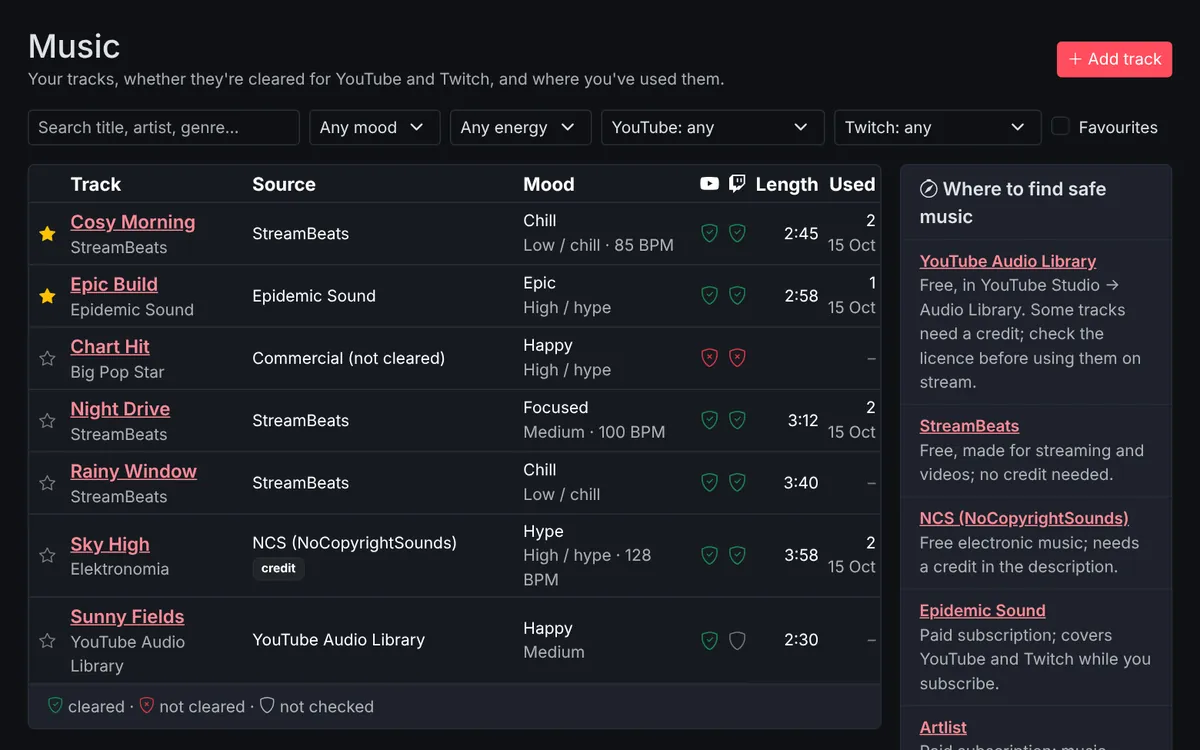
Music
A library of your tracks with YouTube and Twitch licence checks. Pick music for each video and a playlist for each stream, and copy the credits.
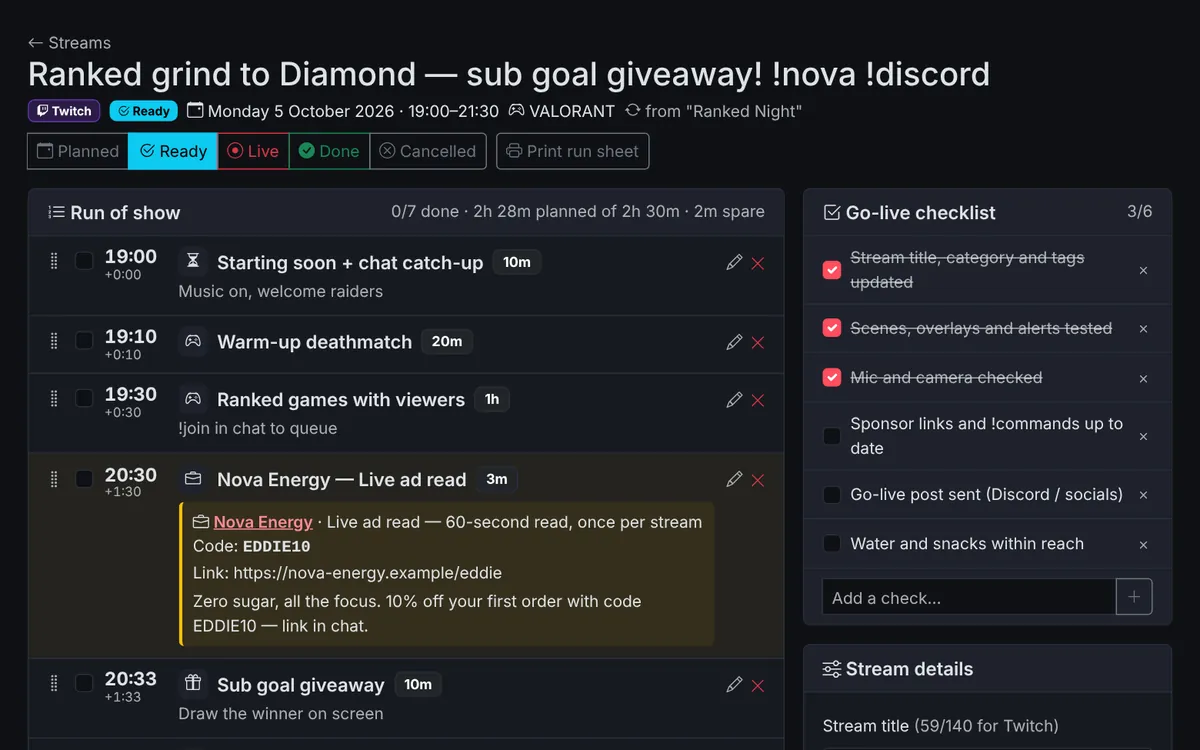
Stream planner
A weekly stream schedule, a run of show for every stream with sponsor reads built in, a go-live checklist and a recap afterwards.
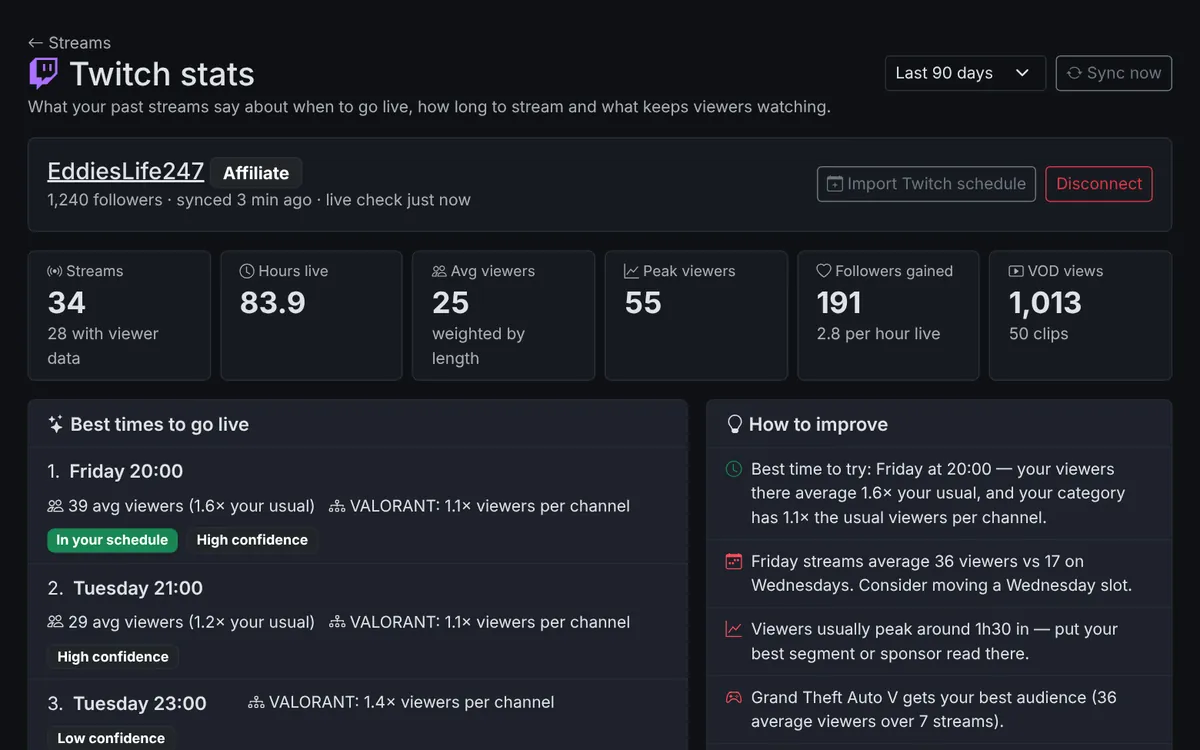
Twitch stats
Your past broadcasts, when you've been live, which games get replays and clips, and the best times to go live once viewer numbers build up.
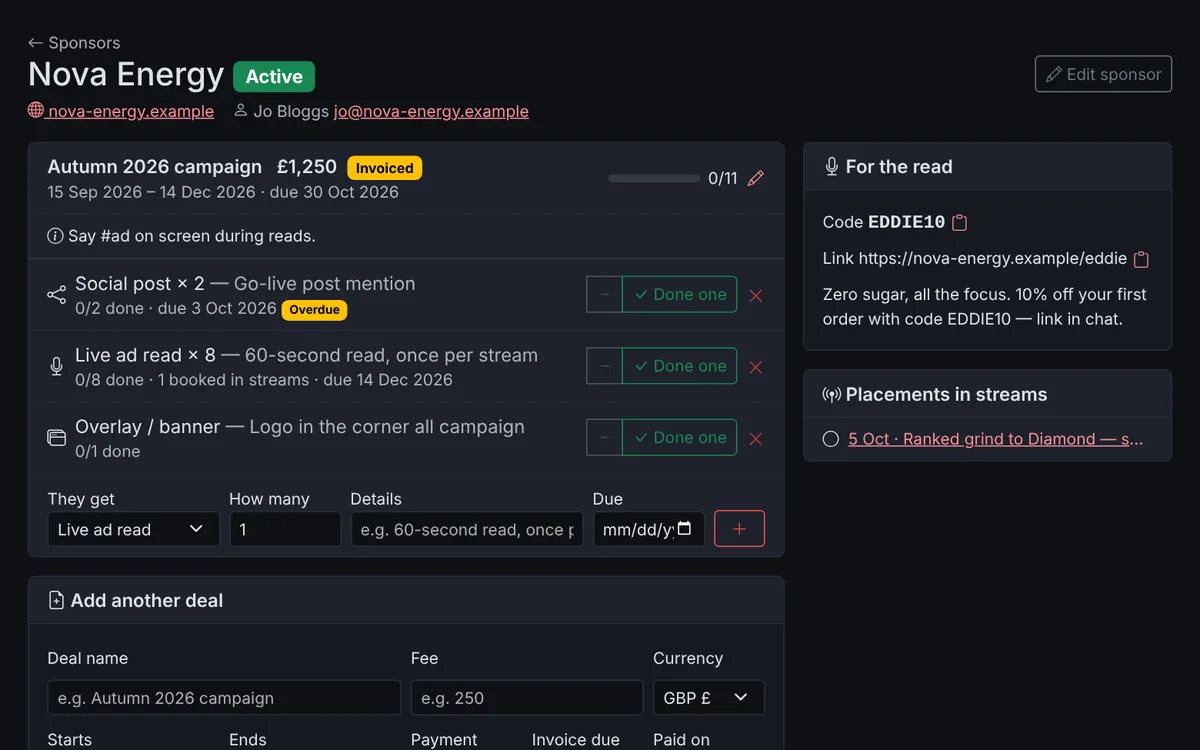
Sponsors
Every deal in one place. What you owe each sponsor, what's booked into streams, and what's been invoiced and paid.
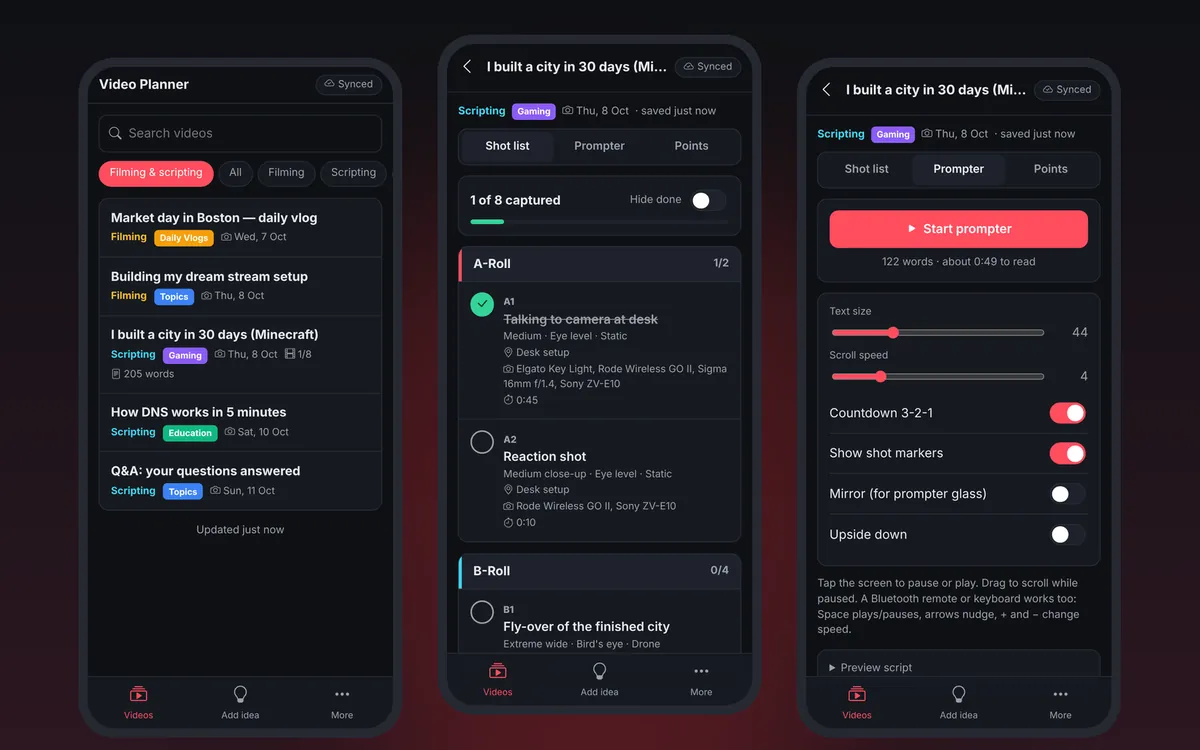
Mobile app
A script prompter, your full shot list and a quick idea adder on your phone. Install it from the browser. It works offline.
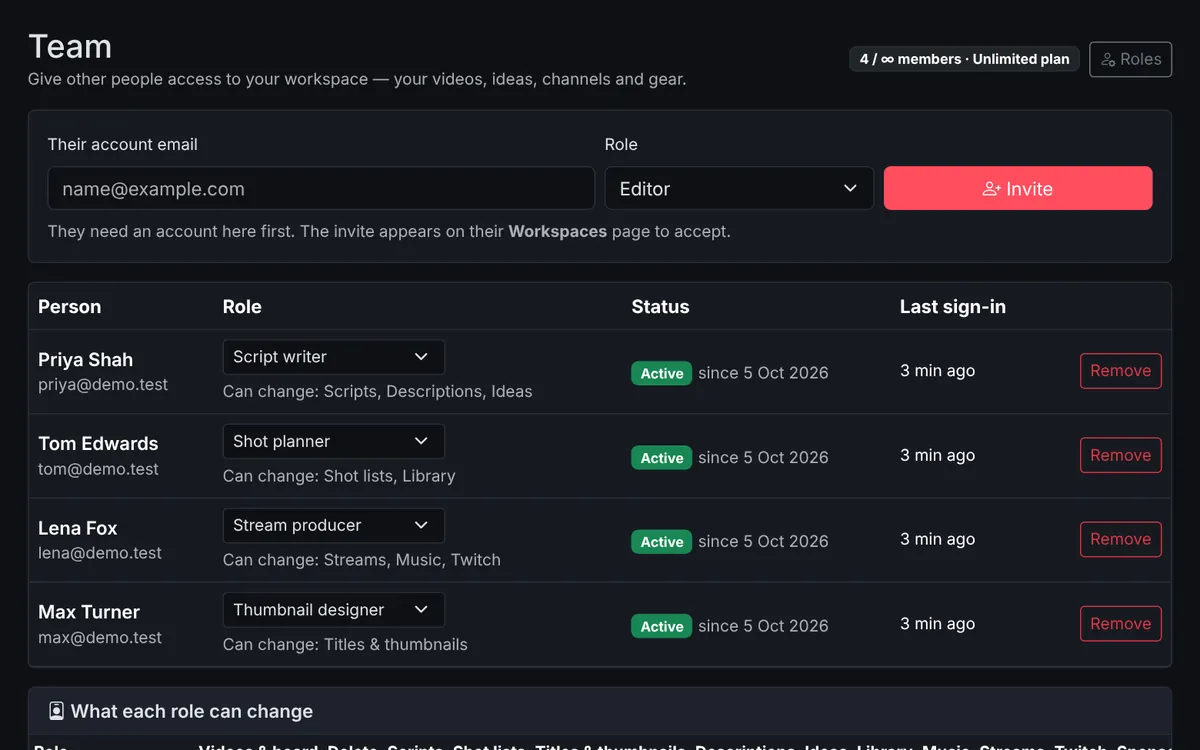
Work as a team
Invite an editor, a script writer or a stream producer. Each role only changes what it should.
Stream overlays
Starting soon, BRB and ending scenes, goals, a countdown, an info bar, a social ticker and Twitch alerts for OBS, in your colours. Control them live from the dock or your phone.
Clips & highlights
Bring in your Twitch clips, mark moments live with one tap, and turn them into Shorts or a highlight video on your board.
Your own creator page
yourname.videoplanner.co.uk with your bio, link-in-bio links, latest videos and a live player when you're streaming, in your own look.
Media kit
A page for sponsors with your audience numbers, rates and the brands you've worked with, and a contact form that lands in your inbox.
Viewer suggestions
Let viewers suggest videos and vote for the ones they want, from your page or your Discord bot. You approve what shows.
Guest collaborators
Share chosen videos with an editor or co-host through a private link and PIN. They suggest changes; you accept or reject each one.
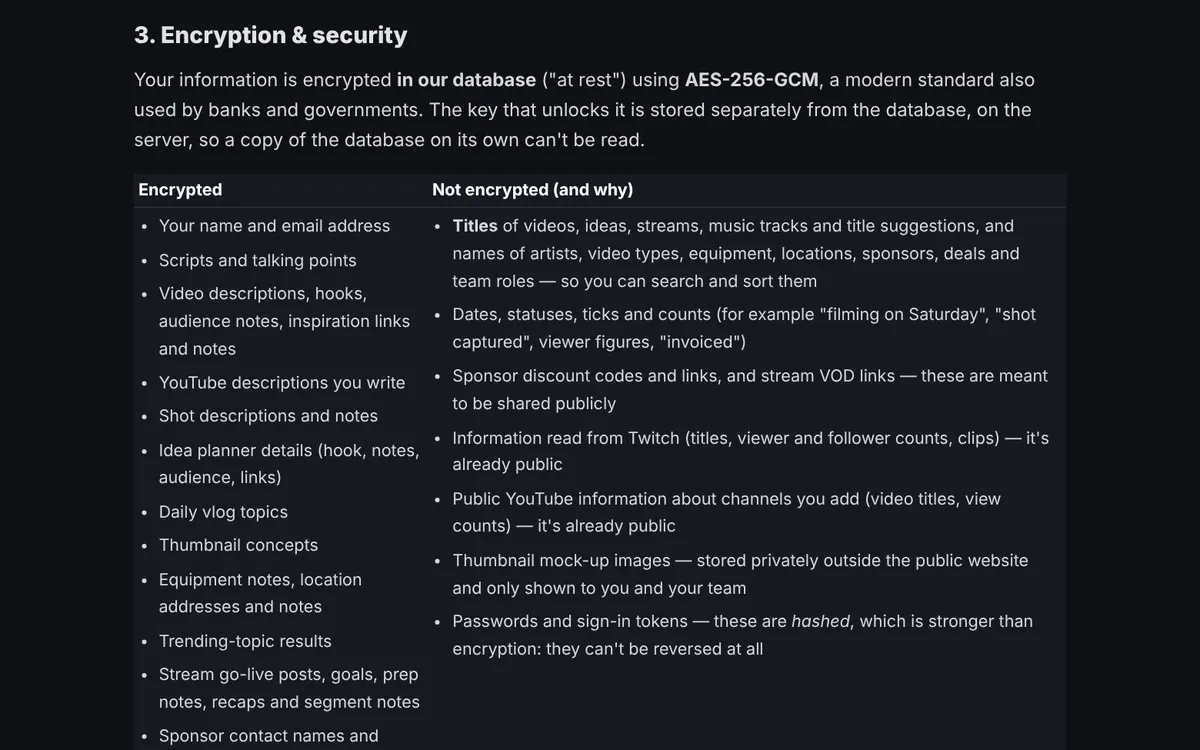
Private by design
Your scripts, notes and ideas are encrypted in the database, and only you and the people you invite can see them.
Ideas based on your channel
Add your YouTube channel (or a few) to see which topics, title styles, lengths and publish times get more views than usual.
- The idea generator mixes your best topics and title formats, and shows the videos each idea is based on.
- The title helper ranks title patterns by how they do on your channel.
- Trending topics shows what's getting popular in the subjects you cover.
- It only reads public channel data. You don't need to sign in with Google.
- Suggestions are worked out from your own numbers, and you can always see why something was suggested.
Getting started
Create an account
Sign up with your name, email and a password.
Add your channel (optional)
Paste a channel link or @handle to use insights, the idea generator and the title helper.
Plan, script and shoot
Note down ideas, write the script, make a shot list and move each video along the board.
Plans
Every plan includes status board, scripts & talking points, a/b/c-roll shot lists, video types.
Free
Getting started
- 50 videos
- 1 YouTube channels
- 0 team members
- 50 free YouTube uses
- Daily vlog (included)
- Idea planner (included)
- YouTube channels & insights (included)
- Idea generator (included)
- Trending topics (included)
- Shooting plan (included)
- Learns from past videos (included)
- Titles & thumbnails (included)
- Thumbnail board (included)
- YouTube descriptions (included)
- Calendar (included)
- Equipment & locations (included)
- Music library (included)
- Stream planner (included)
- Twitch stats & best times (included)
- Sponsors (not included)
- Mobile app (included)
- Guest collaborators (not included)
- Community suggestions (included)
- Creator page & own address (included)
- Media kit (included)
- API access (included)
Pro
For regular creators
- Unlimited videos
- 3 YouTube channels
- 2 team members
- 500 free YouTube uses
- Daily vlog (included)
- Idea planner (included)
- YouTube channels & insights (included)
- Idea generator (included)
- Trending topics (included)
- Shooting plan (included)
- Learns from past videos (included)
- Titles & thumbnails (included)
- Thumbnail board (included)
- YouTube descriptions (included)
- Calendar (included)
- Equipment & locations (included)
- Music library (included)
- Stream planner (included)
- Twitch stats & best times (included)
- Sponsors (included)
- Mobile app (included)
- Guest collaborators (included)
- Community suggestions (included)
- Creator page & own address (included)
- Media kit (included)
- API access (included)
Ultimate
Designed for those with Big Teams
- Unlimited videos
- 10 YouTube channels
- 20 team members
- 15,000 free YouTube uses
- Daily vlog (included)
- Idea planner (included)
- YouTube channels & insights (included)
- Idea generator (included)
- Trending topics (included)
- Shooting plan (included)
- Learns from past videos (included)
- Titles & thumbnails (included)
- Thumbnail board (included)
- YouTube descriptions (included)
- Calendar (included)
- Equipment & locations (included)
- Music library (included)
- Stream planner (included)
- Twitch stats & best times (included)
- Sponsors (included)
- Mobile app (included)
- Guest collaborators (included)
- Community suggestions (included)
- Creator page & own address (included)
- Media kit (included)
- API access (included)
New accounts start on Free. Upgrade any time from Plan & billing once you're signed in: pay monthly or yearly through Stripe, and cancel whenever you like.
Get in touch
Got a question, an idea, or want to ask about a plan? Send us a message and we'll reply by email.
Join our DiscordGet help, chat with other creators and share what you're working on.
Or email [email protected]
Plan your next video
Make an account and start planning.